Blog7 min read
VMS vs NVR vs DVR: what's the difference?
DVR, NVR and VMS explained in plain words: how each records CCTV, how far each scales, and the signs that your sites have outgrown their recorders.

Arthbot team
Arthbot Systems, Haridwar
On this page
DVR, NVR and VMS all record CCTV. The difference is what kind of cameras they work with, how far they scale, and whether they're a box or a platform.
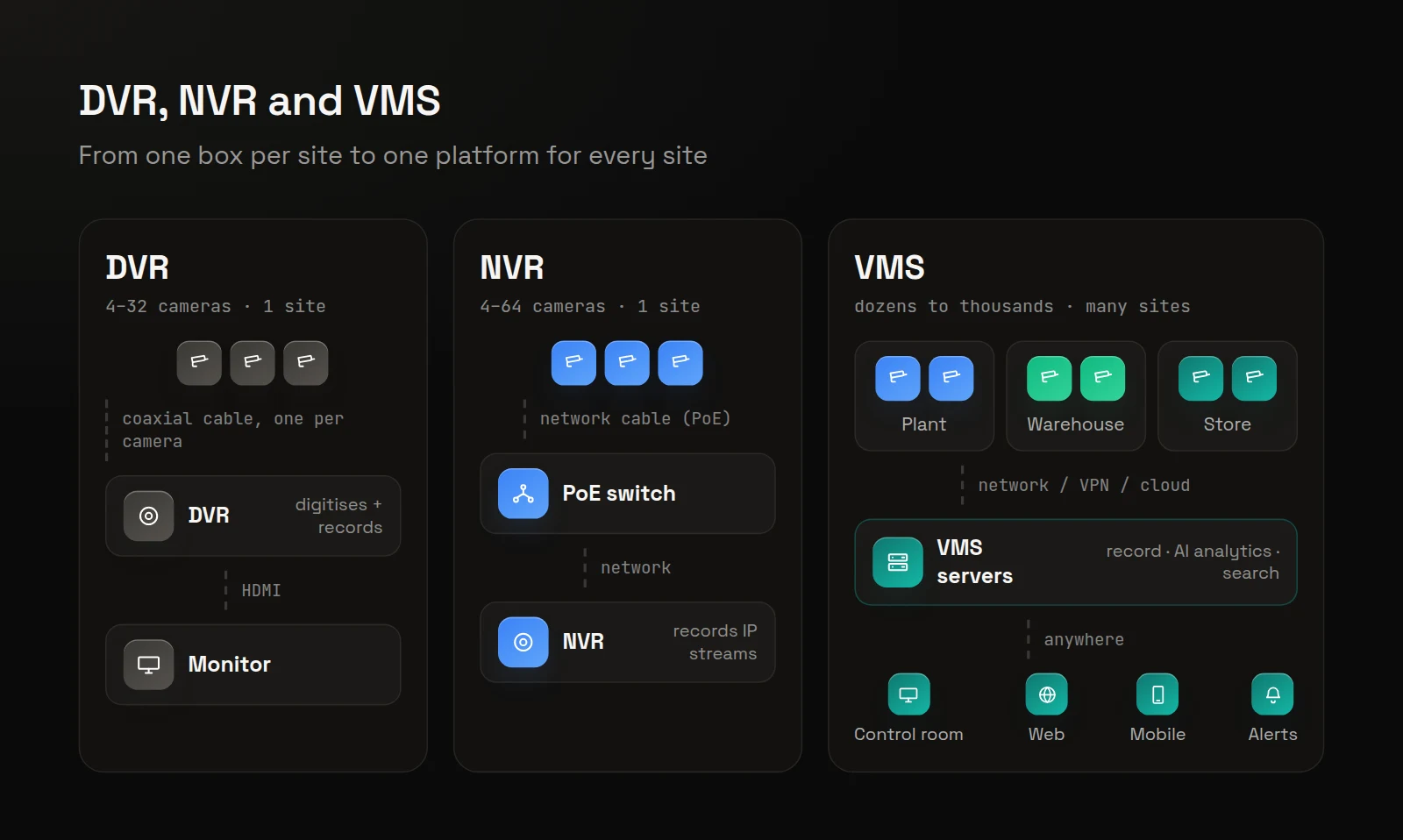
Quick answer A DVR records analogue cameras over coaxial cable. An NVR is a box that records IP cameras over the network, usually up to 64 cameras at one site. A VMS (video management system) is software running on servers or in the cloud that records, monitors and analyses IP cameras — and often existing NVRs — across many sites, with hundreds or thousands of cameras in one system.
What is a DVR?
A digital video recorder (DVR) connects to analogue CCTV cameras with coaxial cable, one cable per camera. The cameras send an analogue picture; the DVR digitises it, compresses it and records it on its internal hard disks. You watch on a monitor plugged into the DVR or through the maker's app.
Modern "HD analogue" formats (HD-TVI, AHD, HD-CVI) push analogue cameras to 1080p and beyond over the same cable, which keeps DVRs common for small shops and homes. Their limits: a fixed number of inputs (typically 4–32), one site per box, and little room for analytics beyond basic motion detection.
What is an NVR?
A network video recorder (NVR) records IP cameras. IP cameras compress video themselves and send it over the network, so the NVR's job is to receive streams and store them. Many NVRs have built-in PoE (Power over Ethernet) ports that power the cameras through the same network cable.
NVRs are the standard choice for a single site with up to a few dozen cameras. They work best with cameras from the same manufacturer; other brands usually connect through the ONVIF standard, but advanced features often don't carry over.
What is a VMS?
A video management system (VMS) is software. It runs on standard servers on-premise, in the cloud, or both, and does the NVR's job — receiving and recording streams — at a much larger scale, plus everything around it:
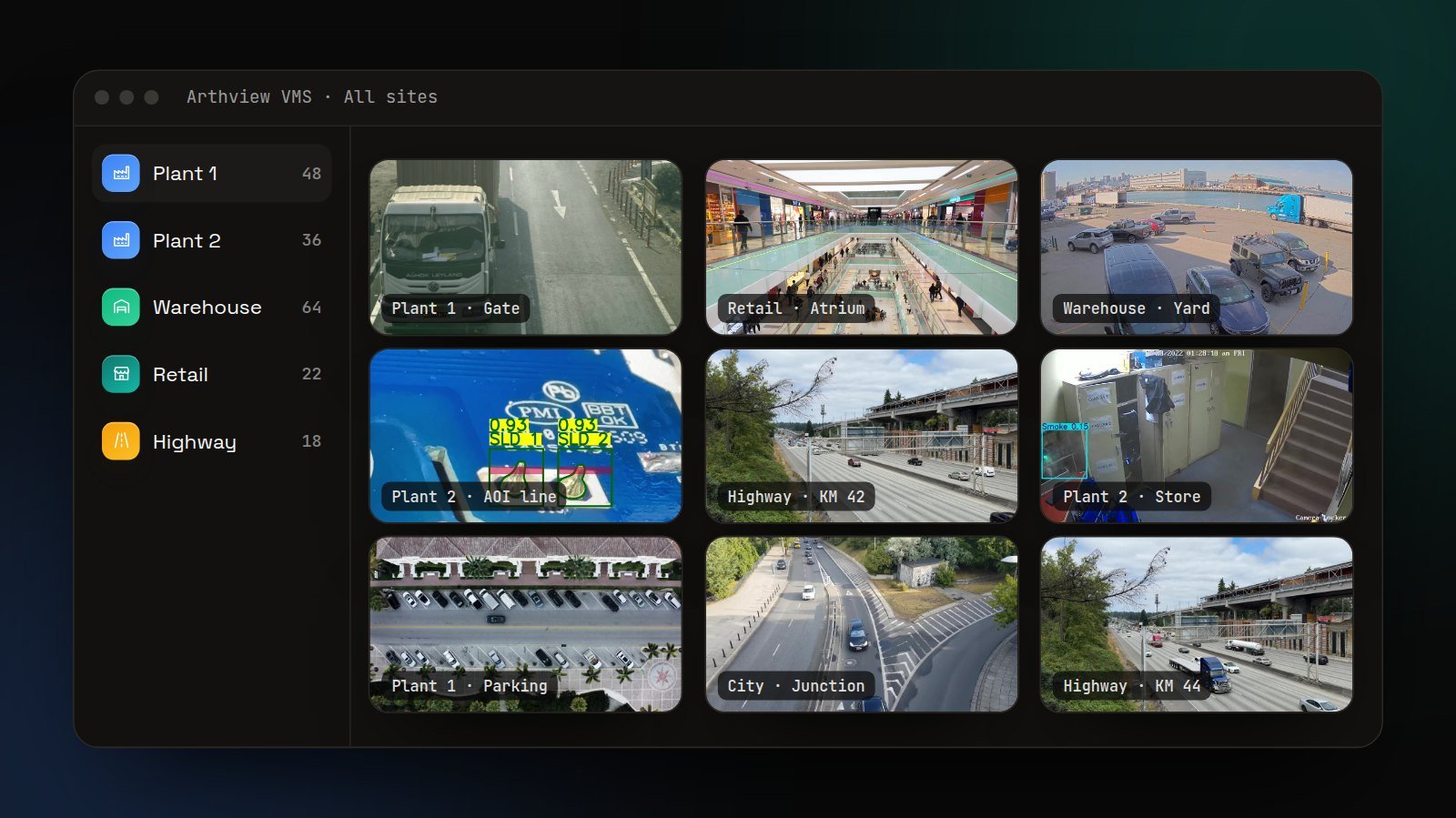
- Many sites, one system: cameras from every plant, warehouse or campus in one interface, with one search.
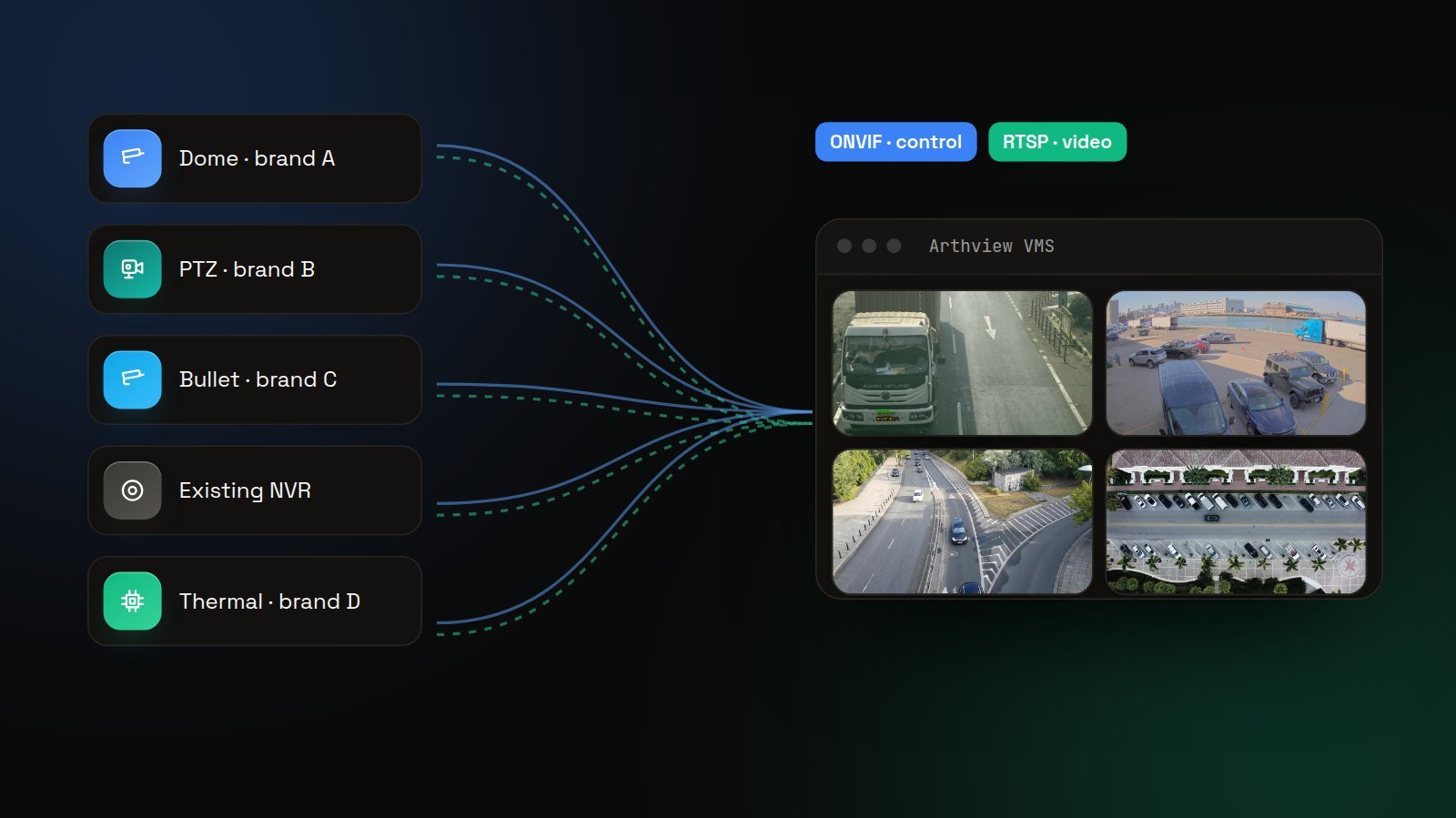
- Any camera: IP cameras from different makers through ONVIF and RTSP, and existing NVRs and DVRs connected as sources.
- Users and roles: who can watch which cameras, who can export footage, with a log of who did what.
- Video walls and control rooms: many screens, alarm-driven layouts, operator workflows.
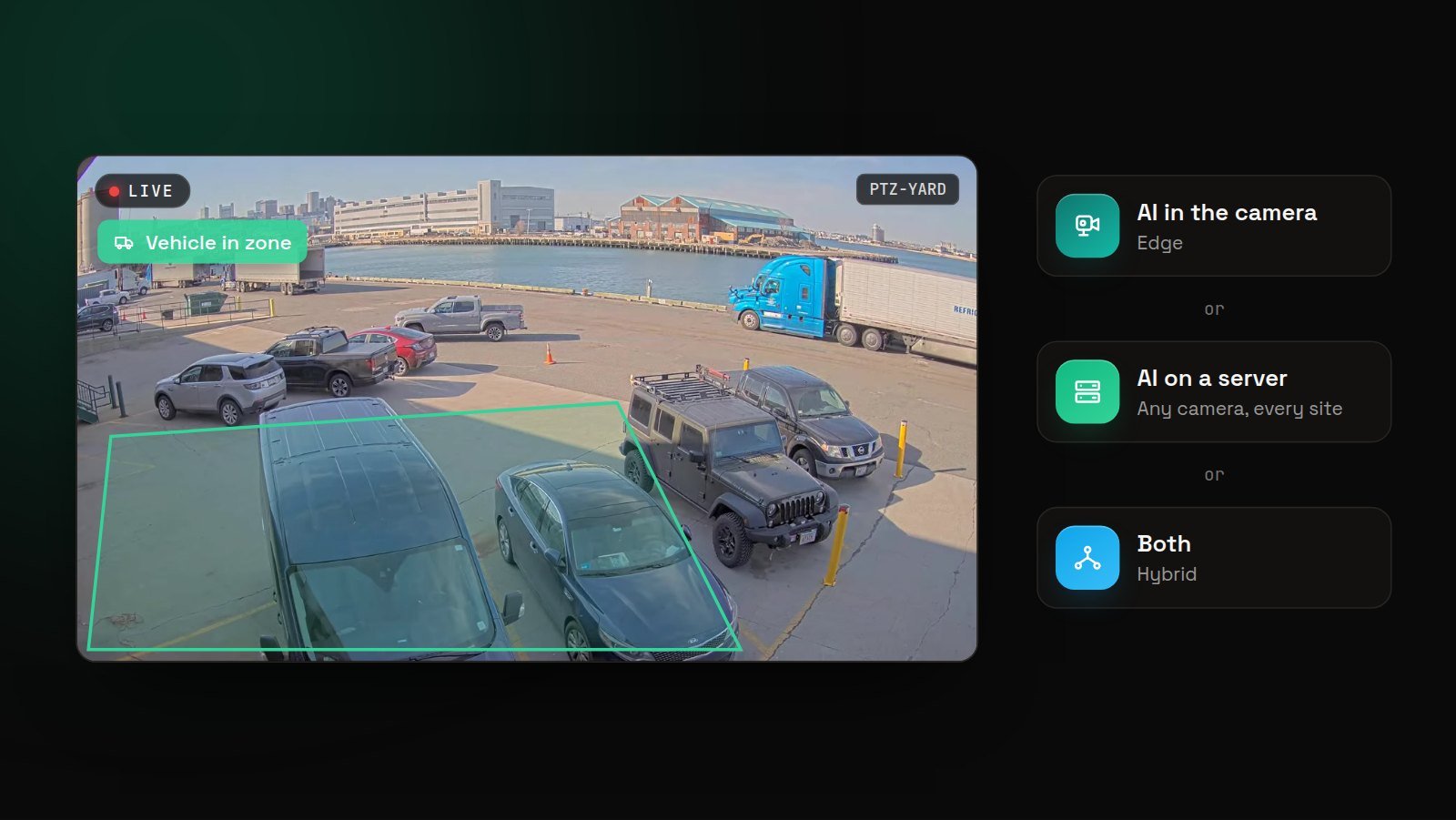
- AI video analytics: detecting events — intrusion, fire and smoke, PPE, number plates, crowding — and sending alerts.
- Integrations: access control, fire alarms, ERP and ticketing systems, through APIs.
- Resilience: failover recorders, RAID storage and health monitoring across every server.
The VMS is the part you keep; servers, storage and cameras can be replaced or added around it.
VMS vs NVR vs DVR at a glance
| DVR | NVR | VMS | |
|---|---|---|---|
| Cameras | Analogue (coax) | IP (network) | IP, plus existing NVRs and DVRs |
| Form | Box | Box | Software on servers or cloud |
| Typical scale | 4–32 cameras | 4–64 cameras | Dozens to thousands |
| Sites | One | One per box | Many, centrally |
| Camera brands | Mostly one | Best with one, others via ONVIF | Many, via ONVIF and RTSP |
| AI video analytics | Basic motion | Basic, model-dependent | Full: detection, alerts, search |
| Integrations | Rare | Limited | APIs, alarms, access control |
| Upgrade path | Replace the box | Replace the box | Add servers, cameras, features |
| Best for | Small shops, homes | One building | Multi-site businesses, cities, infrastructure |
Is an NVR better than a DVR?
For new installations, usually yes. IP cameras deliver higher resolutions, one network cable can carry power and video, and IP systems are easier to extend. DVRs still make sense when good coaxial cabling is already installed and the budget is tight — HD analogue cameras reuse it.
CCTV server vs NVR: what's the difference?
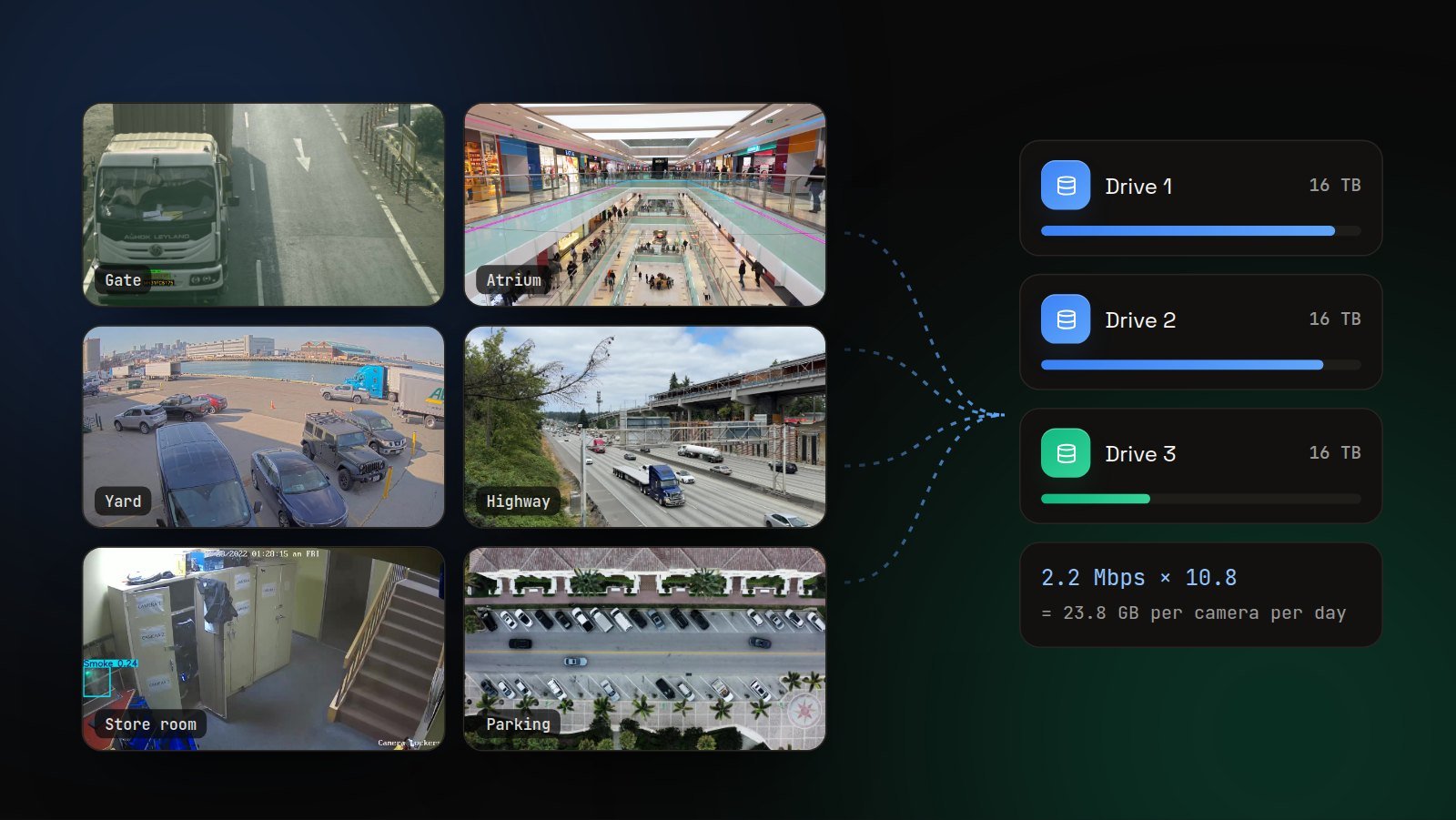
A "CCTV server" is a standard server running VMS software. Compared with an NVR it's more flexible: you choose the CPU, memory, GPUs and disks, and the software isn't tied to the hardware. One well-specified recording server can handle around 300 cameras — we've proven 295 on a single machine running Arthview™ VMS. A GPU in the same server can run AI analytics on around 50 cameras at five frames per second.
To size servers, disks and GPUs for your camera count, use our free hardware sizing calculator.
Signs you've outgrown your NVRs
- You have several sites, each with its own recorder, and nobody can see all of them at once.
- Finding an incident means someone travelling to a site or scrolling through hours of footage.
- You've bought cameras from several brands and some features only work on some of them.
- You want AI alerts — intrusion, fire, PPE, number plates — not just recordings.
- IT and security need user rights, audit logs and health monitoring across the estate.
- Your camera count keeps growing and each new site means another box to manage.
You don't have to rip anything out to move to a VMS. Existing IP cameras connect directly, and NVRs can stay as local recorders while the VMS collects their streams for central monitoring and analytics.
How to choose a VMS
Ask these questions before you buy:
- Does it work with our cameras? Check ONVIF Profile S/T support and test your actual camera models.
- How far does one server go? Ask for measured cameras-per-server figures, not the maximum on a datasheet.
- Where does video live? On-premise, cloud or hybrid — see our comparison of cloud vs on-premise VMS.
- Is AI built in or bolted on? See traditional VMS vs AI-powered VMS.
- Can we find footage fast? Search by plate, object or description saves hours per incident.
- What happens when a server fails? Look for failover and health alerts.
- How is it licensed? Per camera, per server or per feature, and what support costs over five years.
For a checklist built for multi-plant operators, read multi-factory CCTV monitoring: a buyer's checklist.
Where Arthview fits
Arthview™ VMS is Arthbot's enterprise video management system. It brings CCTV from multiple sites into one centrally monitored platform with AI video analytics, real-time alerts, recording and playback, cross-camera tracking and natural-language video search. It works with the cameras you already have. Book a demo to see it on your own footage.
Frequently asked questions
What is the difference between VMS and NVR?
An NVR is a hardware box that records IP cameras at one site, typically up to 64. A VMS is software running on servers or in the cloud that records, monitors and analyses cameras across many sites, scales to thousands of cameras and adds users, integrations and AI analytics.
What is the difference between NVR and DVR?
A DVR records analogue cameras connected by coaxial cable and digitises the video itself. An NVR records IP cameras over the network; the cameras compress the video and the NVR stores it.
Can a VMS use my existing NVRs and cameras?
Usually, yes. A VMS can connect directly to most IP cameras through ONVIF or RTSP, and can take streams from existing NVRs and DVRs, so you can centralise monitoring without replacing everything.
Do I need a VMS for one site?
Not always. A single building with a few dozen cameras is often well served by an NVR. A VMS makes sense when you have several sites, many cameras, mixed camera brands, or need AI alerts, video search and integrations.
What does VMS software do?
VMS software records video from cameras, shows live and recorded video to operators, manages users and permissions, monitors system health, and in modern systems runs AI analytics to detect events, send alerts and make footage searchable.
How many cameras can one VMS server handle?
It depends on bitrates, storage and whether AI runs on the same machine. A well-specified recording server running Arthview handles around 300 cameras; add servers to scale further.
- VMS
- NVR
- DVR
- CCTV
- video management system
See it on your own cameras
Send us a few minutes of your footage and we'll show you what Arthbot finds in it.